

If you’ve ever searched for an easy way to build a website, WordPress.com is probably one of the first names you’ve come across. The confusing part is that WordPress isn’t just one thing, and the difference between WordPress.com and WordPress.org isn’t exactly obvious when you’re seeing the names for the first time. They’re related, but they give you a different experience when it comes to setting up and managing a website. That small detail is worth understanding before you decide which one to use.
So, what is WordPress.com? Put simply, it’s a hosted website platform that lets you create a WordPress website without having to arrange the hosting and technical setup yourself. You can sign up, choose a site name, pick a design, and start publishing content from the WordPress.com dashboard. A lot of the work that happens behind the scenes is handled by the platform, which means you can spend more time working on your website and less time figuring out how everything works under the hood.
That’s also where WordPress.com differs from WordPress.org. With WordPress.org, you download the WordPress software and use your own web hosting, giving you more control over how your website is configured and managed. If you want to understand that side of WordPress in more detail, I’ve covered it separately in “What Is WordPress.org?”. For now, the simple way to think about it is that WordPress.com is the more managed option, while WordPress.org gives you more responsibility along with greater control.
This difference becomes more important once you start thinking about what you actually want to do with your site. A personal blogger may prefer having most of the technical work taken care of, while a developer or someone building a highly customized business website may want more freedom to control the hosting environment. Neither option is automatically better; they simply suit different needs. WordPress.com is designed to make the process of getting online less complicated, especially when you don’t want website maintenance to become a project of its own.
And that’s probably the easiest way to understand the appeal of WordPress.com. You get the WordPress publishing experience without having to put together every technical piece yourself before your website can go live. From blogging and personal websites to portfolios and business sites, the platform can handle quite a few different use cases. The next question, then, is what exactly you get when you choose WordPress.com and how its main features work.
What is WordPress.com?
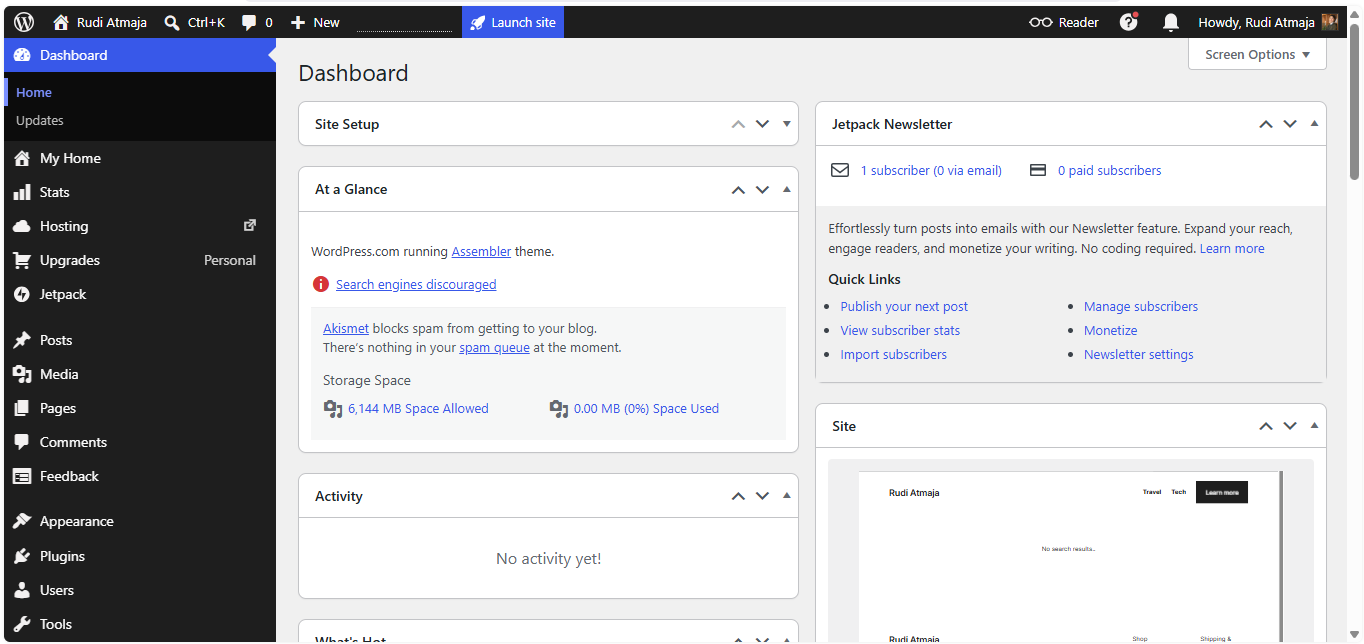
WordPress.com is a hosted platform that allows you to create and manage a website without having to set up your own web server. In practical terms, you sign up for an account, choose a site name, select a design, and then use the WordPress.com dashboard to manage your website. The platform provides the hosting environment where your website’s files, images, and other content are stored and delivered to visitors. You can think of it as a service that brings the website software and hosting together, so you can focus on building and managing the site itself.
To understand that a little better, it helps to think about what happens when someone visits a website. Every website needs a place to store its files and a server that can deliver those files when someone enters the site’s address in a browser. With WordPress.com, that infrastructure is provided as part of the platform. You don’t have to rent a separate hosting account and manually install WordPress before you can start creating your site. Once your website is set up, WordPress.com handles the underlying hosting environment while you work through its dashboard.
The dashboard is where most of your day-to-day website management happens. From there, you can create and edit posts, build pages, upload media, change your site’s appearance, manage comments, and adjust various settings. The exact tools and features you can access depend on your plan, but the basic idea remains the same: you manage your website through a centralized WordPress.com interface. You don’t need to work directly with server files just to publish a new article or make a small change to your website.
WordPress.com also uses themes to control the visual appearance of a website. A theme provides the basic structure and design of your site, including things such as layouts, typography, navigation, and how different types of content are displayed. Instead of designing every part of a website from a blank page, you can start with an existing theme and customize it to match the kind of site you want to build. Your content and your site’s design are managed separately, which makes it possible to change the appearance of a site without rewriting all of its content.
Content on WordPress.com is generally organized around two of the most familiar parts of WordPress: posts and pages. Posts are typically used for regularly published content such as blog articles, news updates, or other entries that may appear in a chronological list. Pages are usually reserved for more permanent information, such as an About page, Contact page, services page, or homepage. Once you understand the difference between posts and pages, the basic structure of a WordPress.com website becomes much easier to picture.
Another important part of WordPress.com is its media system. Images, videos, audio files, and other supported media can be uploaded through the dashboard and then added to your posts or pages. Instead of manually placing files on a server and linking to them yourself, you can manage much of this directly from the WordPress.com interface. This is particularly useful when your website contains a lot of visual content because your media becomes part of the same content management workflow.
Your website also needs an address that visitors can use to find it. When you create a WordPress.com site, you can use a WordPress.com address, while certain plans and setups also allow you to connect or use a custom domain. A domain is simply the human-readable address of a website, such as example.com, while hosting refers to the server environment where the website itself is stored. Keeping those two concepts separate is useful because a domain tells people where to go, while hosting provides the place where the website lives.
Underneath all of this is WordPress itself, the content management system that powers the publishing experience. A content management system, or CMS, is software that lets you create, organize, edit, and publish digital content without having to build every page manually with code. WordPress has been widely used for blogs and websites of many different types, and WordPress.com provides a managed environment for using WordPress online. This is why you can create and update a website through an interface that feels more like using an application than managing a traditional web server.
It is also worth clearing up one common misconception: WordPress.com is not the same thing as a website builder in the sense of simply choosing a template and having a finished website generated for you. You still decide what your website is about, what content it contains, how its navigation is organized, and how it should look. WordPress.com provides the tools and infrastructure, but the actual website is shaped by the person using those tools. In that sense, it is better understood as a complete environment for creating, publishing, and managing a WordPress website.
So, when we put all of these pieces together, WordPress.com is essentially a managed WordPress platform where the software, hosting environment, website management tools, and publishing features are brought together in one service. You create your site through the WordPress.com platform, manage its content through the dashboard, choose how it looks through themes and customization tools, and publish everything for visitors to access online. The platform can support different kinds of websites, but the underlying process remains largely the same. Once this basic structure is clear, it becomes much easier to understand the specific features WordPress.com provides and how they fit into building a website.
Pros and Cons of WordPress.com
Now that you have a clearer idea of what WordPress.com is and how it works, the next question is whether it makes sense for your own website. The answer depends less on what WordPress.com can do and more on what you expect from a website. Someone starting a simple blog may have very different priorities from a business owner, developer, or someone who wants complete control over their site.
One thing worth keeping in mind is that WordPress.com is built around a managed approach. You get a platform where many of the technical parts are brought together, while your main job is to create content and manage the website. That can make certain parts of running a site easier, but it also means you are working within the structure and options provided by the platform.
Because of that, WordPress.com comes with some clear advantages as well as a few limitations that are worth knowing about before you commit to it. Looking at both sides gives you a more realistic picture than simply calling it “easy” or “powerful.” Let’s start with the things WordPress.com does particularly well.
1. Advantages of WordPress.com
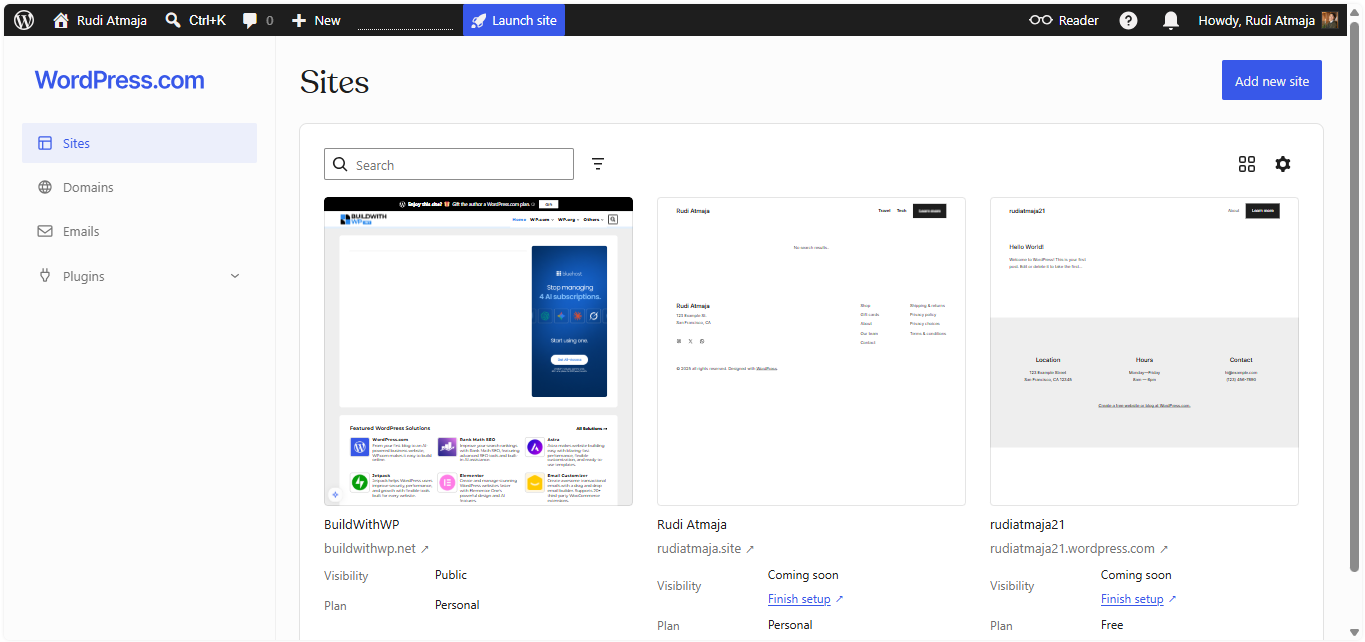
One of the biggest advantages of WordPress.com is that you can get a website online without dealing with the technical setup that usually comes with self-hosted WordPress. You don’t need to find a separate hosting provider, install WordPress on a server, create a database, or configure the basic server environment yourself. Once you create your WordPress.com site, the hosting environment and WordPress software are already connected. You can then go straight to choosing a design, creating pages, publishing posts, and working on your site.
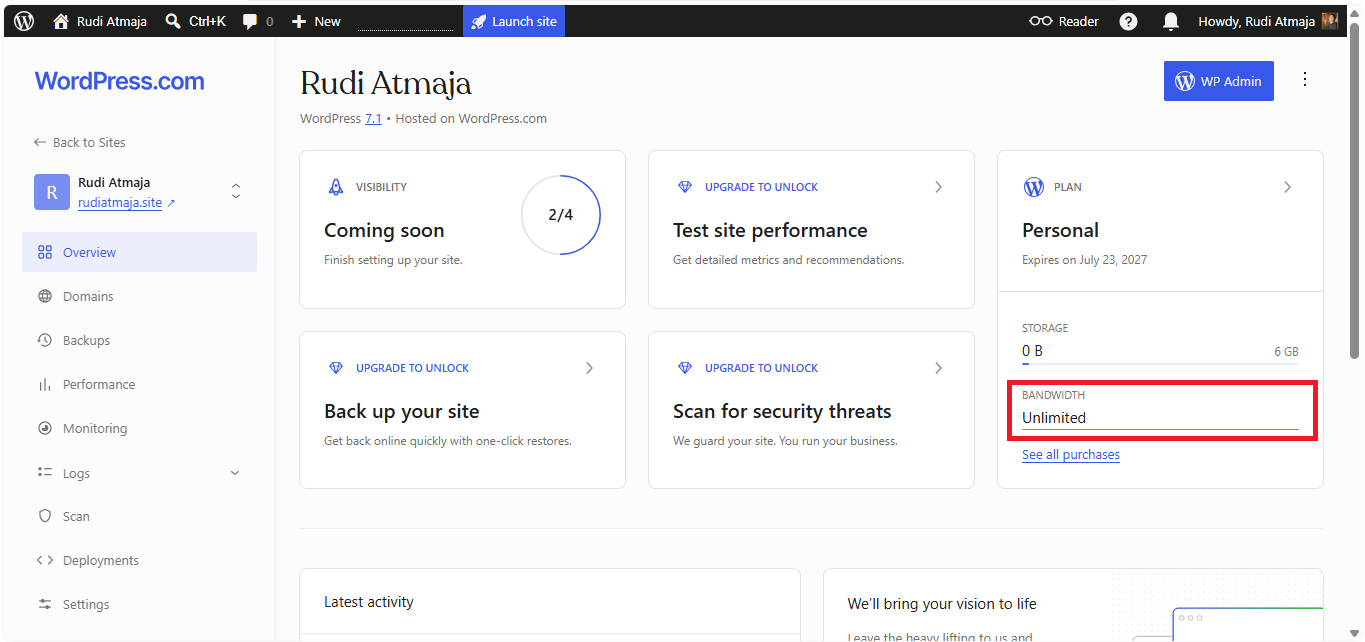
The hosting model also means you don’t have to worry about a monthly bandwidth limit or a fixed number of website visits. WordPress.com does not impose a bandwidth or monthly visitor cap that suddenly stops your site from serving visitors when your traffic increases. This is particularly relevant for content websites because traffic can be unpredictable; one article might receive a few hundred visits one week and suddenly attract thousands the next. You can therefore focus on publishing and growing your audience without having to calculate whether a spike in traffic will push your website over a monthly visit allowance.
Another advantage is that WordPress.com handles much of the infrastructure behind the website for you. The platform manages the hosting environment, while other technical aspects of the service are handled on its side rather than requiring you to configure a server yourself. This reduces the amount of routine infrastructure work involved in running a WordPress website. Instead of spending time maintaining the server environment, you can work primarily through the WordPress.com dashboard.
The dashboard itself is designed to bring common website tasks into one place. You can create posts and pages, upload images, organize content, manage comments, adjust settings, and customize parts of your site without manually editing website files. The block editor also lets you build content visually by adding headings, paragraphs, images, galleries, buttons, forms, and other blocks. For everyday publishing, you can make most changes without needing to write HTML, CSS, or PHP.
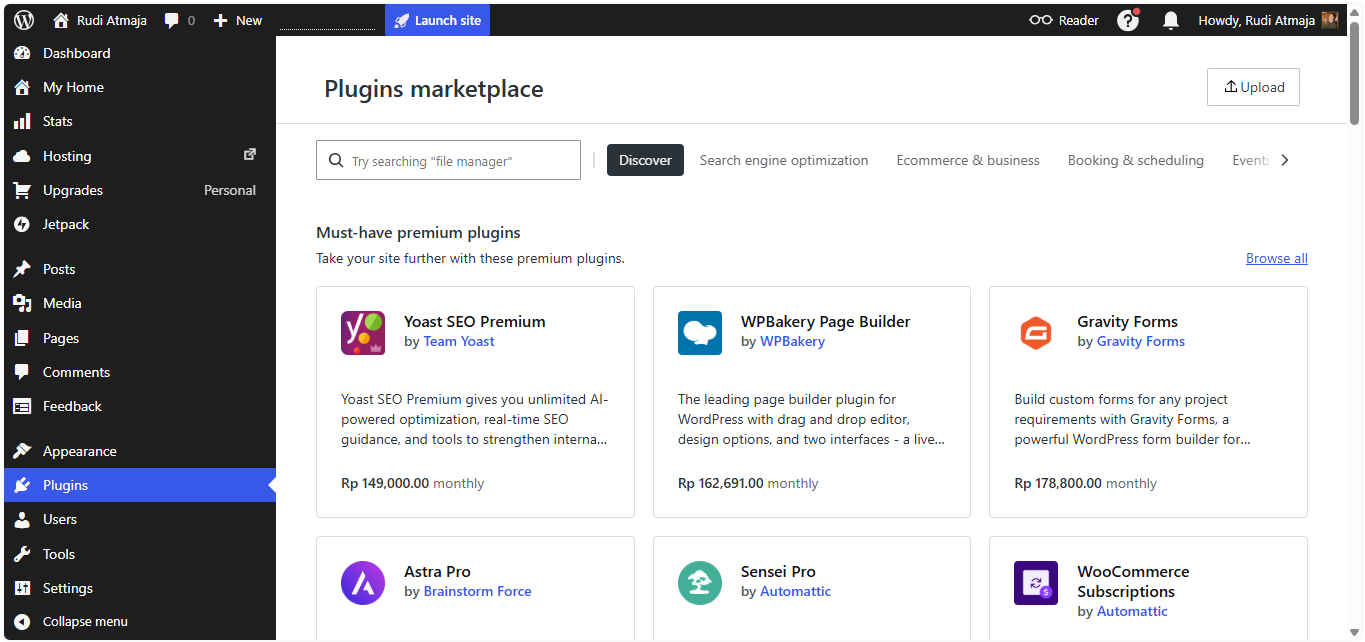
WordPress.com also gives paid plans access to plugin installation, which significantly expands what you can do with a website. On any paid WordPress.com plan, you can install plugins, including free plugins available from the official WordPress.org plugin repository. This means you are not limited only to the features built directly into WordPress.com; you can add compatible third-party functionality to your site through the plugin system. For example, a site owner can use plugins for SEO, forms, analytics, security, performance, ecommerce, memberships, or other specialized requirements, depending on the plugin and its compatibility.
Read Also: How to Install Plugins on WordPress.com
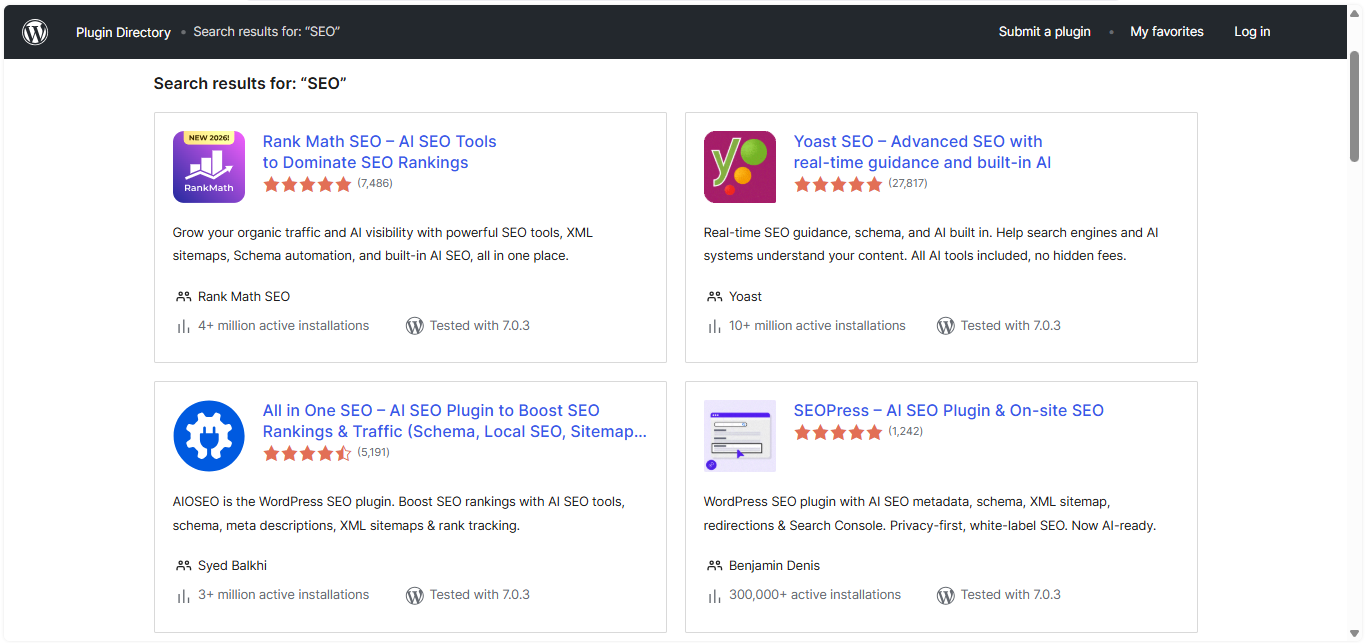
Access to the WordPress.org plugin repository is particularly useful because it contains a large ecosystem of WordPress plugins developed by different companies and independent developers. Many of these plugins are available at no cost, while some offer additional paid features or premium versions. Being able to install free plugins from that ecosystem on a paid WordPress.com plan gives website owners considerably more room to customize their sites without having to develop every feature themselves. Plugin installation is therefore one of the areas where the capabilities of WordPress.com can extend well beyond its basic publishing tools.
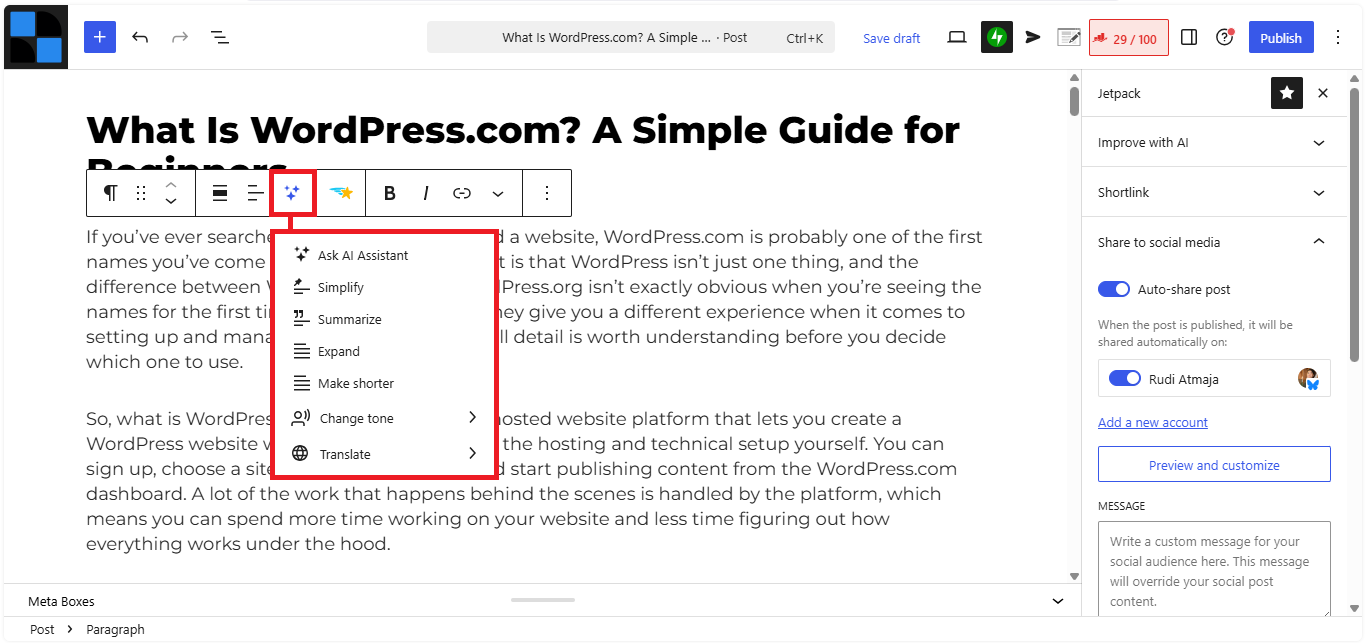
WordPress.com also incorporates AI-powered tools into its platform, giving users ways to use artificial intelligence while working on their websites. AI tools can assist with tasks such as generating or refining content, changing the tone of written text, creating ideas, summarizing information, or helping with other parts of the website-building process. Instead of having to switch between WordPress.com and a separate AI service for every small task, some AI functionality is available directly within the WordPress.com environment. This can be particularly useful when you are creating content and need help with the writing or editing process.
Themes are another part of WordPress.com that can simplify website design. You can start with an existing theme rather than designing every page from an empty canvas, with the theme providing the basic structure for elements such as navigation, typography, layouts, headers, and footers. You can then customize the available design settings to make the site fit your content or brand. This allows someone without professional web design experience to create a website with a structured and consistent appearance.
WordPress.com is also capable of handling many different types of websites. A blogger can use it to publish regular articles, a freelancer can create a site that presents their services, a photographer can build a portfolio, and a business can create pages describing its products or services. With the right features and plugins, the same platform can also be expanded for more specialized use cases. The type of website you can build is therefore not restricted to a simple chronological blog.
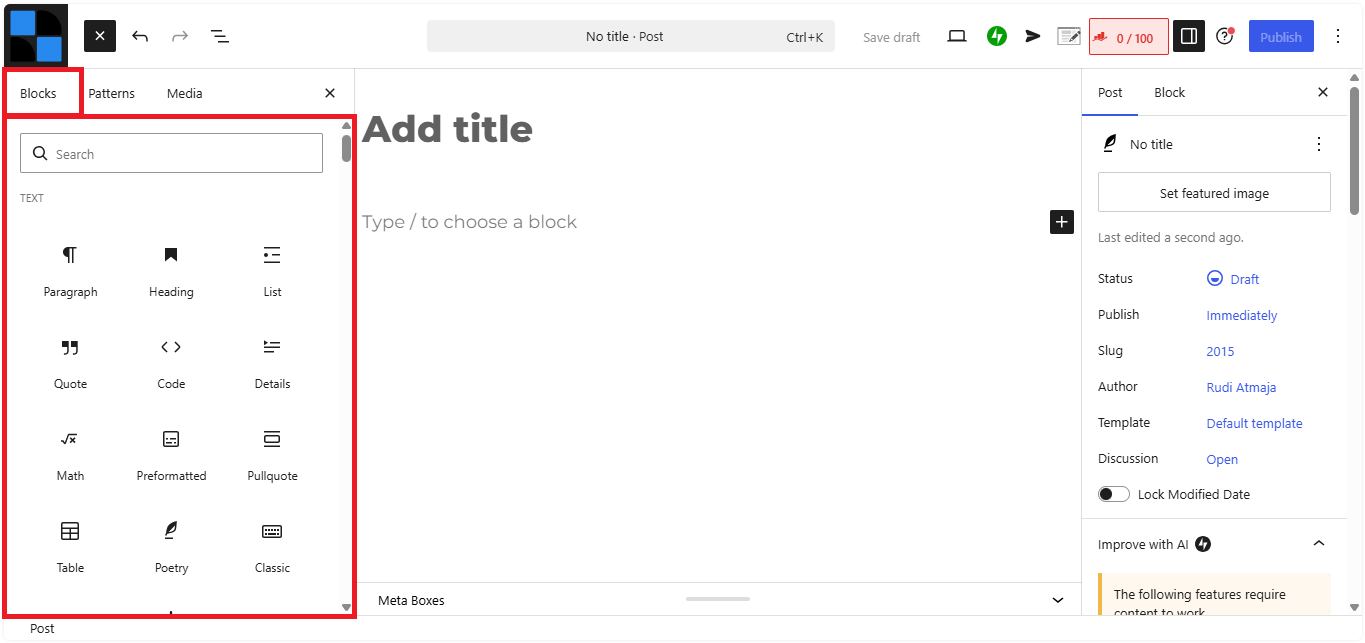
Publishing content is another area where the platform keeps the workflow relatively simple. You can create an article, format the text with blocks, add images or other media, set the relevant publishing options, and make the post live from the same editor. Existing posts and pages can also be edited whenever information needs to be corrected or updated. This creates a straightforward workflow for websites where publishing new content is an ongoing part of the site’s operation.
The managed nature of WordPress.com also reduces the amount of server administration you need to handle yourself. With self-hosted WordPress, website owners may need to deal with hosting resources, server configuration, software compatibility, backups, security settings, and other technical considerations. WordPress.com takes responsibility for much of the underlying platform infrastructure, so you can manage the website at the application level instead of administering the server itself. You still have control over your content and website settings, but the technical environment underneath the site is managed by WordPress.com.
WordPress.com can also support custom domains, allowing your website to use an address that represents your own name, project, or business rather than relying on a generic platform address. A custom domain can make a website easier to identify and can provide a more professional-looking web address. Domain-related settings can be managed within the WordPress.com environment, keeping the domain and website setup connected rather than requiring several unrelated services.
The platform also provides tools and integrations that can extend a website beyond basic publishing. Depending on the plan, these can cover areas such as search engine optimization, analytics, forms, newsletters, social sharing, payments, ecommerce, and monetization. Plugins can add even more functionality, particularly for paid-plan users who have access to the wider WordPress plugin ecosystem. This combination allows a WordPress.com site to grow from a basic publishing website into something with much more specialized functionality.
2. Disadvantages of WordPress.com
The biggest limitation becomes apparent when you use the free WordPress.com plan. It gives you a working website at no cost, but the site comes with a WordPress.com subdomain, such as yoursite.wordpress.com, rather than allowing you to use your own domain as the primary address. Free sites also display WordPress.com advertisements to visitors, and the free plan comes with 1 GB of storage for media files. You can still create unlimited posts and pages, but the available tools and customization options are more restricted than what you get with a paid plan.
The free plan also does not include plugin installation. This is an important distinction because plugins are one of the main ways to extend what a WordPress website can do, from adding SEO tools and contact forms to building an online store or membership site. WordPress.com currently allows plugin installation on all paid plans – Personal, Premium, Business, and Commerce – but free sites need to upgrade before they can install plugins. Paid plans can also install plugins from the WordPress.org repository, which contains more than 50,000 plugins.
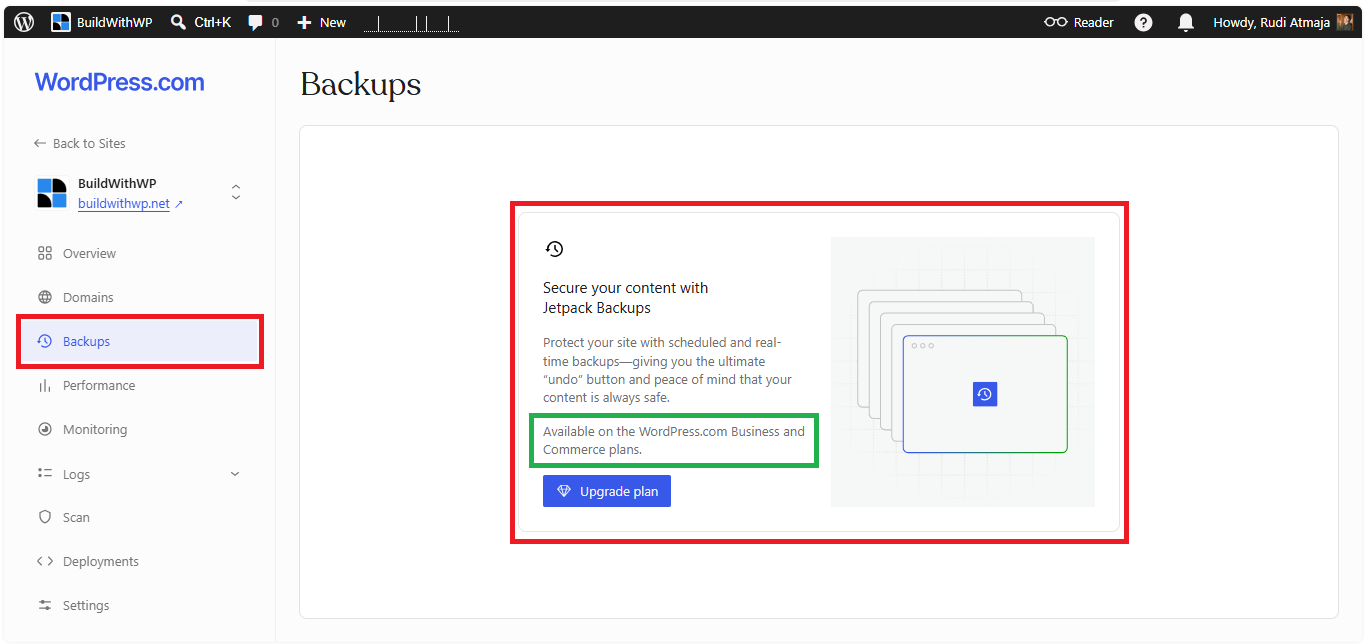
Another limitation is that some advanced features are reserved for the higher-tier Business and Commerce plans. For example, built-in automated backups through Jetpack VaultPress Backup are available on Business and Commerce, while Free, Personal, and Premium sites do not get those automated backups. On eligible plans, backups run automatically and can be used to restore the site to an earlier state, which is particularly important when a plugin update or other change causes something to break.
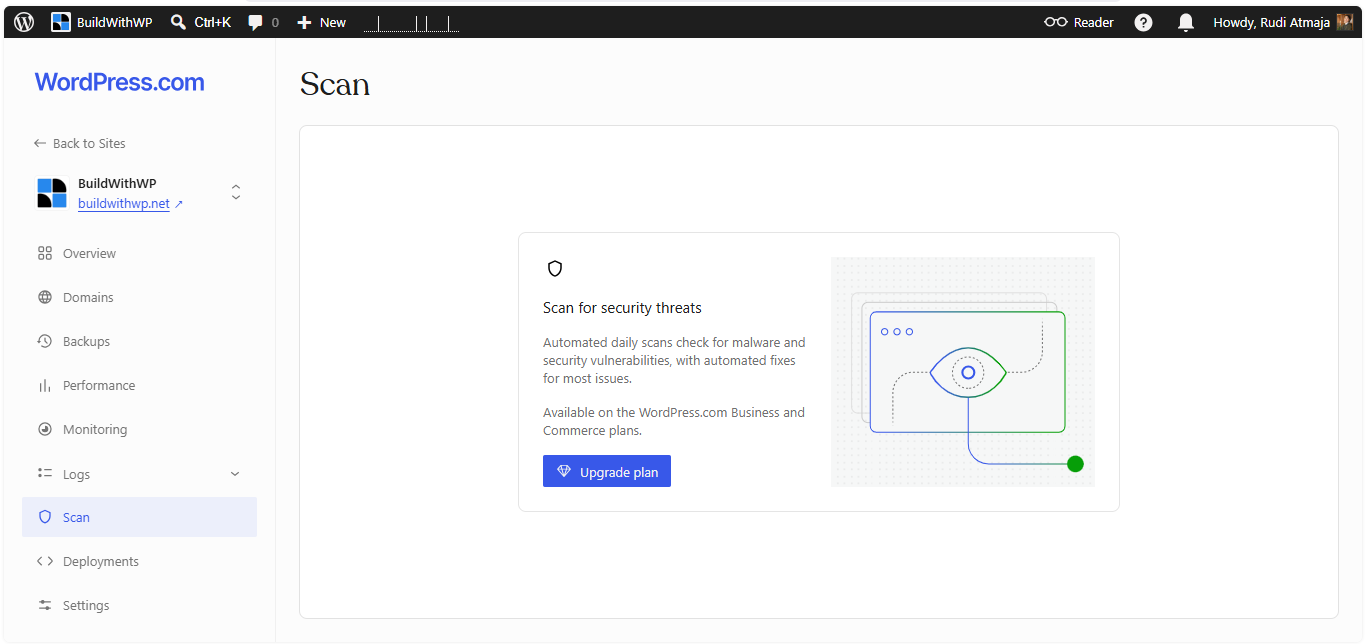
Security scanning is another example of a feature that sits behind the higher-tier plans. WordPress.com provides security measures across its platform, but the Jetpack Scan functionality that lets you view your site’s security scanning history and provides daily scanning for malware and other vulnerabilities is available on Business and Commerce. This distinction matters because a WordPress site that uses third-party plugins and themes has more moving parts than a basic site, and those additional components can introduce security vulnerabilities.
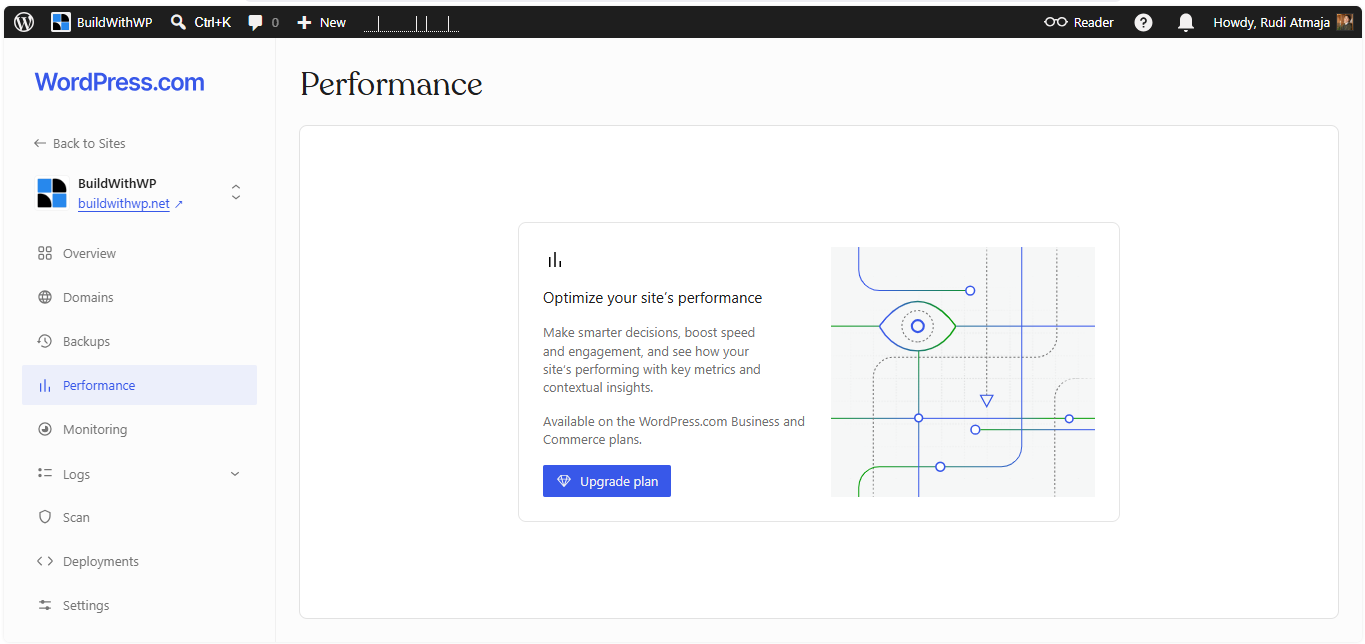
Performance-related tools and infrastructure features are also more extensive on Business and Commerce. The Business plan, for example, includes multi-data-center support and real-time replication designed to help websites handle traffic surges, along with other features aimed at professional websites. WordPress.com does optimize its hosting environment more broadly, but some of the more advanced performance capabilities are specifically positioned as part of the higher-tier offering.
The same pattern applies to website monitoring. WordPress.com has a downtime monitoring feature that can alert you when your website goes offline, but this feature is currently available on Business and Commerce rather than Free, Personal, or Premium. For someone running a website where availability matters, having this kind of monitoring can be useful because you do not have to discover a problem only after a visitor tells you the site is down.
Developer-oriented tools are another area where the gap between the plans becomes more noticeable. Business and Commerce include features such as staging sites, database management, SFTP/SSH access, custom code capabilities, and other developer tools that are not part of the lower-tier experience. These features matter more when you need to work directly with the technical side of a WordPress installation rather than simply creating content and managing the site through the standard dashboard.
PHP and server-level controls can also be a consideration for more technical WordPress users. When you use a managed platform, you generally do not get the same level of access to the server environment that you would have with a traditional hosting setup where you control the server configuration. WordPress.com provides developer-oriented access and configuration options on its higher plans, but it still manages the underlying hosting environment for you. This means developers who need very specific server configurations or complete control over the hosting stack may find the platform more restrictive than running WordPress on their own hosting infrastructure.
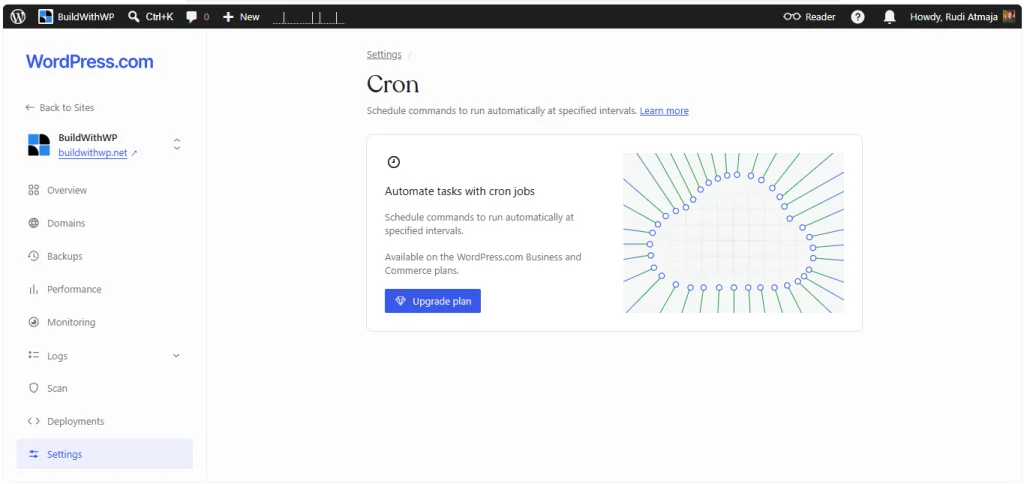
Cron jobs are another example of this distinction between managing a website at the application level and managing its underlying server. A traditional self-hosted WordPress installation can give the site owner more direct control over scheduled server tasks, while a managed platform determines which server-level functions are exposed to users. WordPress.com provides developer tools on Business and Commerce, but users should check the current capabilities of those plans if their project depends on custom cron behavior or other server-level processes.
There is also a broader trade-off that comes with WordPress.com’s managed approach: you are working within the technical environment provided by WordPress.com rather than choosing every component of the server stack yourself. That can be perfectly fine for someone who mainly wants to publish content, but it becomes more relevant when a website requires unusual server configurations, custom infrastructure, or very specific development workflows. In those situations, the difference between a managed WordPress.com site and a self-hosted WordPress.org installation becomes much more noticeable.
What Types of Websites Can You Build With WordPress.com?
WordPress.com is flexible enough to handle far more than a traditional blog. A simple personal blog is still one of the most obvious use cases, but you can also build a portfolio, business website, magazine, news site, personal website, publication, or a site for a creative project. Paid WordPress.com plans can also install plugins, including plugins from the WordPress.org repository, which opens up many more possibilities for adding functionality.
A blog or content website is probably one of the most straightforward types of sites to build on WordPress.com. You can publish articles, organize them into categories and tags, add images and other media, and create permanent pages such as About, Contact, and Privacy Policy. This setup works well for personal blogs, niche websites, tutorials, travel sites, technology publications, and other projects where regularly publishing content is the main purpose of the website. You can also use WordPress.com’s built-in publishing and AI tools to help with parts of the content creation process.
A personal website or portfolio is another natural fit. Writers, photographers, designers, developers, consultants, artists, and freelancers can use pages and media to showcase their work and explain what they do. A portfolio does not necessarily require complicated functionality; in many cases, a well-designed theme, custom domain, project pages, image galleries, and a contact form are enough to create a professional-looking site. WordPress.com provides themes and site-editing tools that can be used to create these layouts without requiring you to build the entire front end from code.
You can also use WordPress.com for a small business website. A local business might use it to introduce its services, display opening hours, publish updates, collect inquiries, and provide contact information, while a freelancer could use it to explain their services and collect leads. WordPress.com also supports features such as forms, payments, appointment scheduling, analytics, and other functionality either through built-in tools or plugins, depending on the feature and plan.
Membership websites and subscription-based sites are possible as well, particularly on paid plans where plugins can be installed. A membership plugin can be used to restrict certain content to registered users, while subscription tools can allow visitors to pay for access to premium content. WordPress.com itself also provides features for recurring payments, paid content, memberships, and donations, so you do not necessarily need to build every part of a subscription website from scratch.
An online course or learning website can also be built with WordPress.com. The platform’s plugin support means you can install plugins designed for courses, lessons, quizzes, student accounts, and other learning-related functionality. The exact experience depends on the plugin you choose, but the important point is that you are not limited to publishing ordinary blog posts. A paid WordPress.com site can use the broader WordPress plugin ecosystem to turn the site into a much more specialized platform.
Online stores are another possibility, and this is where the Commerce plan becomes particularly relevant. WordPress.com supports WooCommerce, which can provide features such as products, shopping carts, checkout, payments, inventory management, shipping, taxes, and other ecommerce functionality. WordPress.com says WooCommerce can be installed on any paid plan, while the Commerce plan is specifically designed to provide the additional features and extensions needed for a more complete online store.
There are also plenty of specialized websites that can be built with WordPress.com when the required functionality is available through built-in features or compatible plugins. For example, you can create a restaurant website with menus and booking functionality, an event website, a news or magazine site, a directory, a membership community, or a site that sells digital products. WordPress.com supports many common integrations and allows plugin-enabled plans to add functionality beyond what comes with the platform itself.
That said, there are situations where WordPress.com is not the right environment for a particular type of website. The issue is usually not that WordPress.com cannot display the content or create the basic pages, but that the project may require a level of server or code control that a managed hosting platform does not provide. Free WordPress.com sites, for example, have restrictions on the types of custom code they can run, while plugin-enabled plans provide much broader code capabilities.
One example would be a website that depends heavily on custom server-side software or unusual server configurations. If your project requires you to control the operating system, install your own server software, configure specific services, modify the web server itself, or run processes that are outside the normal WordPress environment, WordPress.com is not designed for that kind of setup. You are using infrastructure managed by WordPress.com, rather than renting a server where you control every layer. For those projects, having direct control over the hosting environment can be more important than having a managed WordPress experience.
The same consideration applies to highly customized web applications. WordPress can be used as the foundation for complex applications, and WordPress.org itself notes that WordPress is used for everything from simple websites to complex portals, enterprise websites, and applications. However, a project that behaves more like a custom software application than a conventional website may require direct access to the server, database, codebase, deployment process, or other infrastructure.
Websites that require unusual custom code or complete control over PHP and the server environment can also be a better fit for self-hosted WordPress. WordPress.com does provide extensive code capabilities on plugin-enabled plans, including the ability to add custom code, use SFTP, modify site files, and build custom functionality through plugins. However, those capabilities still operate within WordPress.com’s managed infrastructure rather than giving you ownership of the underlying server.
There are also some types of content that WordPress.com simply does not permit. Its User Guidelines prohibit activities and content including illegal material, intellectual property infringement, certain sexually explicit material, gambling operations, technologically harmful content, impersonation, direct threats, and spam or certain machine-generated sites. Ecommerce sites must also follow additional Store Guidelines, which restrict the sale of certain prohibited, fraudulent, abusive, hazardous, or illegal products and services.
For those reasons, WordPress.org is generally more suitable for websites that need maximum technical control and customization. This can include complex web applications, enterprise websites, custom platforms, advanced membership systems, highly customized ecommerce projects, or websites that require unusual server configurations. With the self-hosted WordPress software from WordPress.org, you choose the hosting provider and have much greater freedom to modify the WordPress code, install plugins and themes, and configure the environment according to the requirements of your project. WordPress.org itself describes WordPress as flexible enough for everything from simple sites and blogs to complex portals, enterprise websites, and applications.
The distinction is therefore less about whether WordPress.com can make a particular type of website and more about how much control that website requires. A blog, portfolio, business site, publication, course site, membership site, or online store can all be built on WordPress.com, especially when you use a paid plan and the appropriate plugins. A project that depends on controlling the server itself, running unusual software, or having complete freedom over the hosting environment is more naturally suited to WordPress.org and self-hosted WordPress.
Is WordPress.com Right for You?
WordPress.com can be a practical starting point if you want to build a website without taking on the technical work that comes with managing your own hosting environment. It can handle everything from a simple blog or portfolio to a business website, membership site, online course, or ecommerce store, especially when you use a paid plan and the right plugins. At the same time, the differences between its plans mean it is worth looking beyond the basic price and checking which features your particular website actually needs.
The choice becomes clearer when you think about how much control you want. If your priority is having WordPress, hosting, publishing tools, plugins, and other website features in one managed environment, WordPress.com can make sense. If you need direct control over the server, custom configurations, or a highly specialized WordPress installation, self-hosted WordPress from WordPress.org gives you more freedom to build and manage the environment yourself.
Ultimately, there is no single WordPress setup that works best for every website. WordPress.com is built to make website management more convenient, while WordPress.org gives you greater control over the technical side of your site. Understanding that difference before you start can help you choose the platform that fits your project, rather than choosing one simply because its name is more familiar.